Vine review downloader
Amazon Vine
This page explains what the browser extension can do with your Vine reviews. If you're not a member of Amazon Vine, then these details won't apply to you, so you can head back to the main page.
What the extension does
On the Vine Reviews page, select the Reviewed tab to see the items you have reviewed.
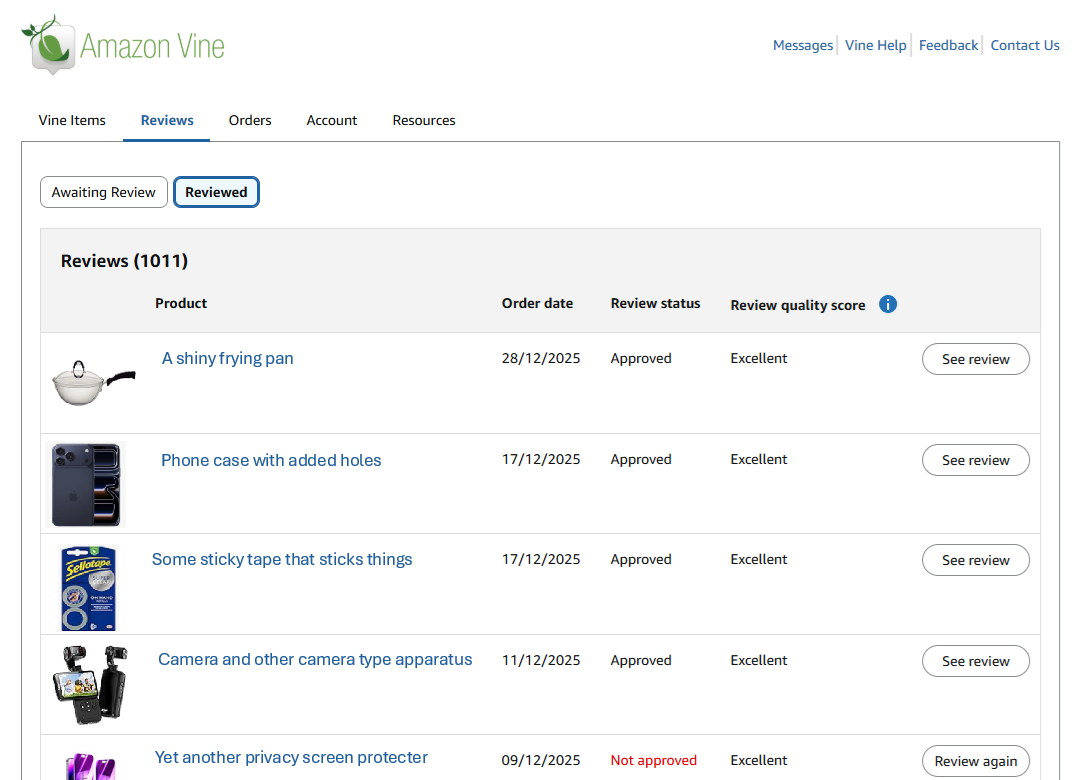
Within that tab you can see the Review status, which is typically "Pending", "Approved" or "Not Approved", as well as the Review quality score, which tends to be one of "Pending", "Poor", "Fair", "Good", or "Excellent".
The extension downloads the following details from the Vine Reviews page:
- ASIN
- Thumbnail image URL
- Product description
- Product URL
- Order date
- Review status
- Review quality score
- Review URL
How it works
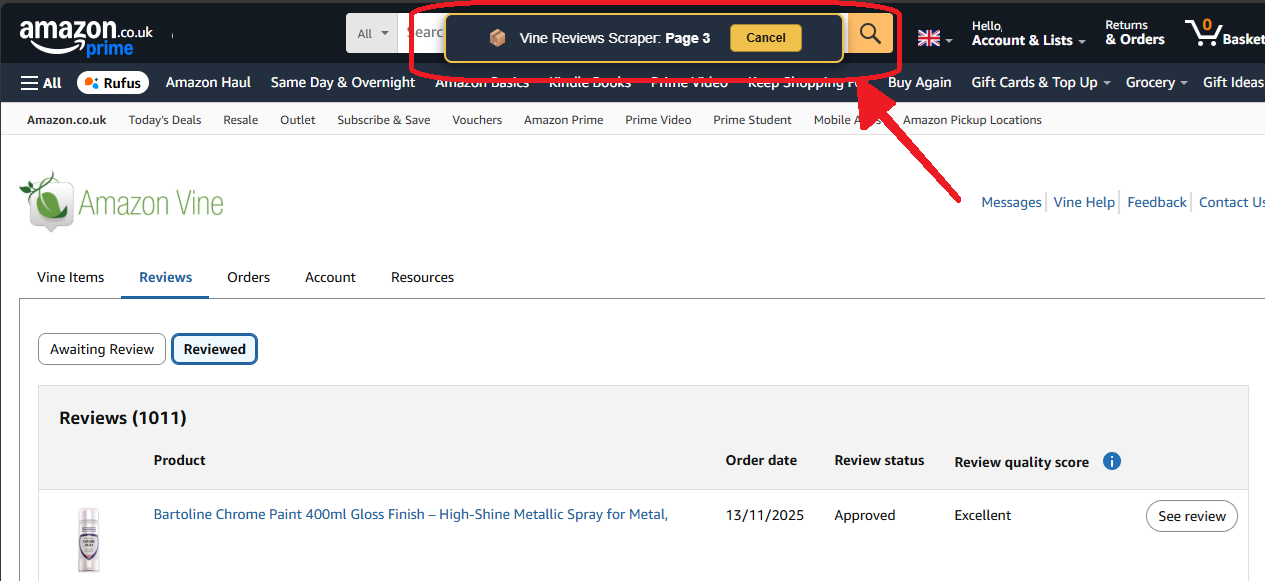
Unlike the profile-review downloader, this feature needs to fetch your Vine reviews one page at a time, because the Vine Reviews page only shows a limited number of reviews per page.
Click the extension icon and choose
Get Vine reviews. It fetches the first page, then the next, until no more reviews are returned.
Once the reviews have been read, the extension downloads a CSV file containing the Vine review data.
Why is it so slow?
The Vine Reviews page shows a limited number of items at a time, so the extension has to load each page in turn.
The extension pauses briefly between pages. The time required depends on the number of reviews and Amazon's response time.
Loading a large history can take some time. You can cancel at any point and the extension will download the reviews it has already loaded. One practical approach is to download the full history once, then later start a new download and cancel it after reaching the last review included in the earlier file.
Cancelling
If you need to cancel the review loading process, you can do so by clicking the cancel
button displayed at the top of each page.
The extension will then stop fetching reviews and download the ones it has already loaded.